Core Problem & SQL Analysis
Exploring the 'Left Join Trap' where intended filtering is accidentally bypassed.
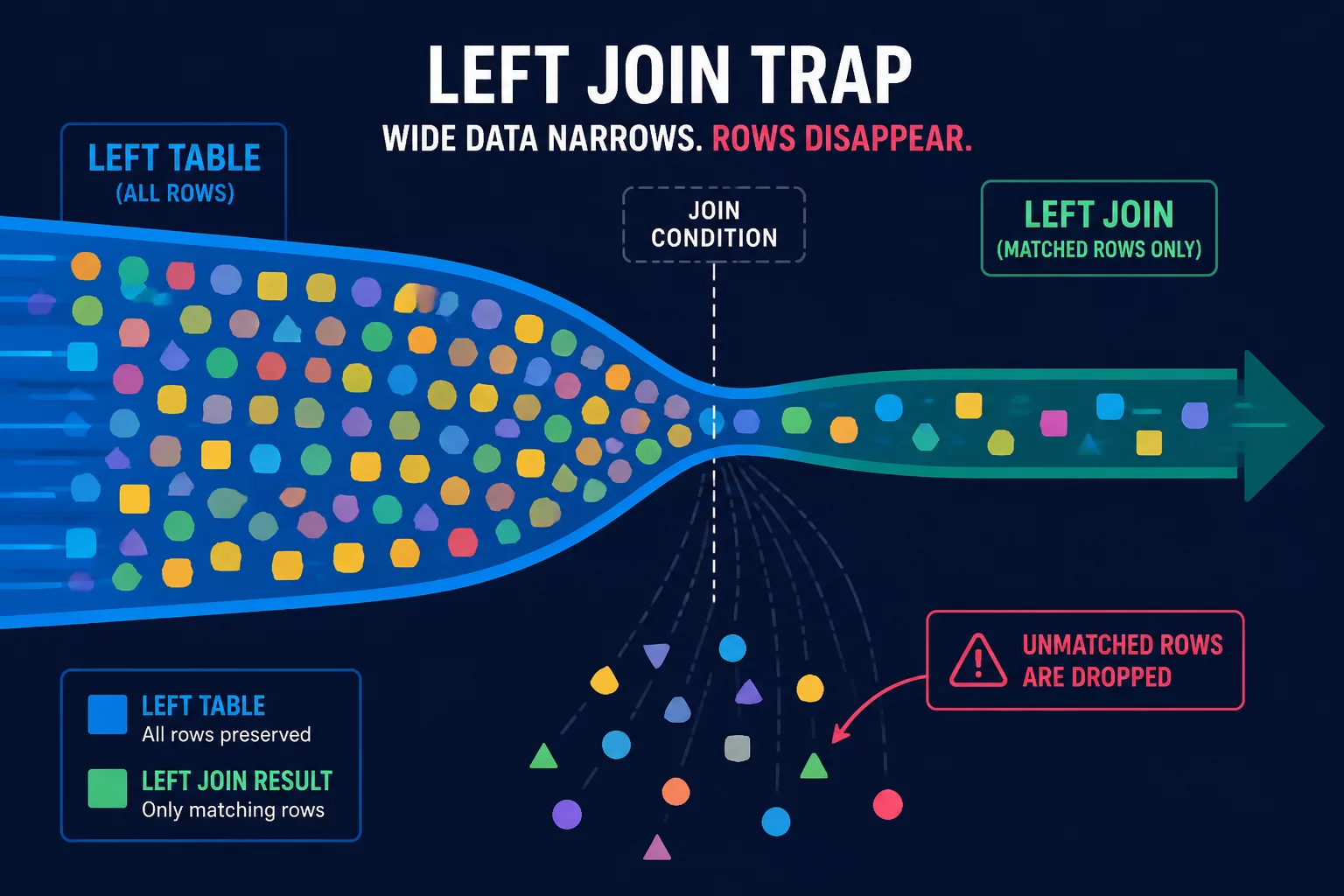
In SQL query construction, outer joins are frequently employed to preserve all rows from a primary table while optionally bringing in attributes from a secondary source. However, developers often fall into the 'Left Join Trap' when applying conditions to the joined table. Placing a filtering condition on the right-side table inside the WHERE clause instead of the ON clause silently converts the LEFT JOIN into an INNER JOIN. This happens because a WHERE filter requires the right-side column to match a specific value, which immediately filters out any NULL rows generated by the outer join. Consequently, customers with no matching orders or users without recent transactions are excluded from the result set, distorting metrics like active user counts, order volumes, and customer churn rates.
To illustrate the impact, consider an analytical query designed to report all customers and their total order amounts, including those who have not made any purchases. If we left join the orders table and then filter the results using WHERE orders.status = 'completed', any customer with zero orders is discarded because their orders.status evaluates to NULL, and NULL is not equal to 'completed'. The proper way to preserve the left join intent is to move the status condition directly into the join specification (ON orders.user_id = users.id AND orders.status = 'completed'), ensuring that customers with no completed orders still appear in the output with a total of zero.
Why This Query Intent Fails
Often in production data environments, developers default to simple joins without reviewing the row multiplicity. When duplicate keys exist or table joins do not represent direct dependencies, metrics like revenue and active user count become inflated.
Key Takeaway
Always verify the primary keys of joined datasets and execute aggregate checks before using nested layouts. Improperly scoped aggregation levels will distort downstream BI dashboard reports.
Discussion & Reviews
No Comments Yet
This could be your first comment. Share your thoughts on this optimization case!
Leave a Comment