Core Problem & SQL Analysis
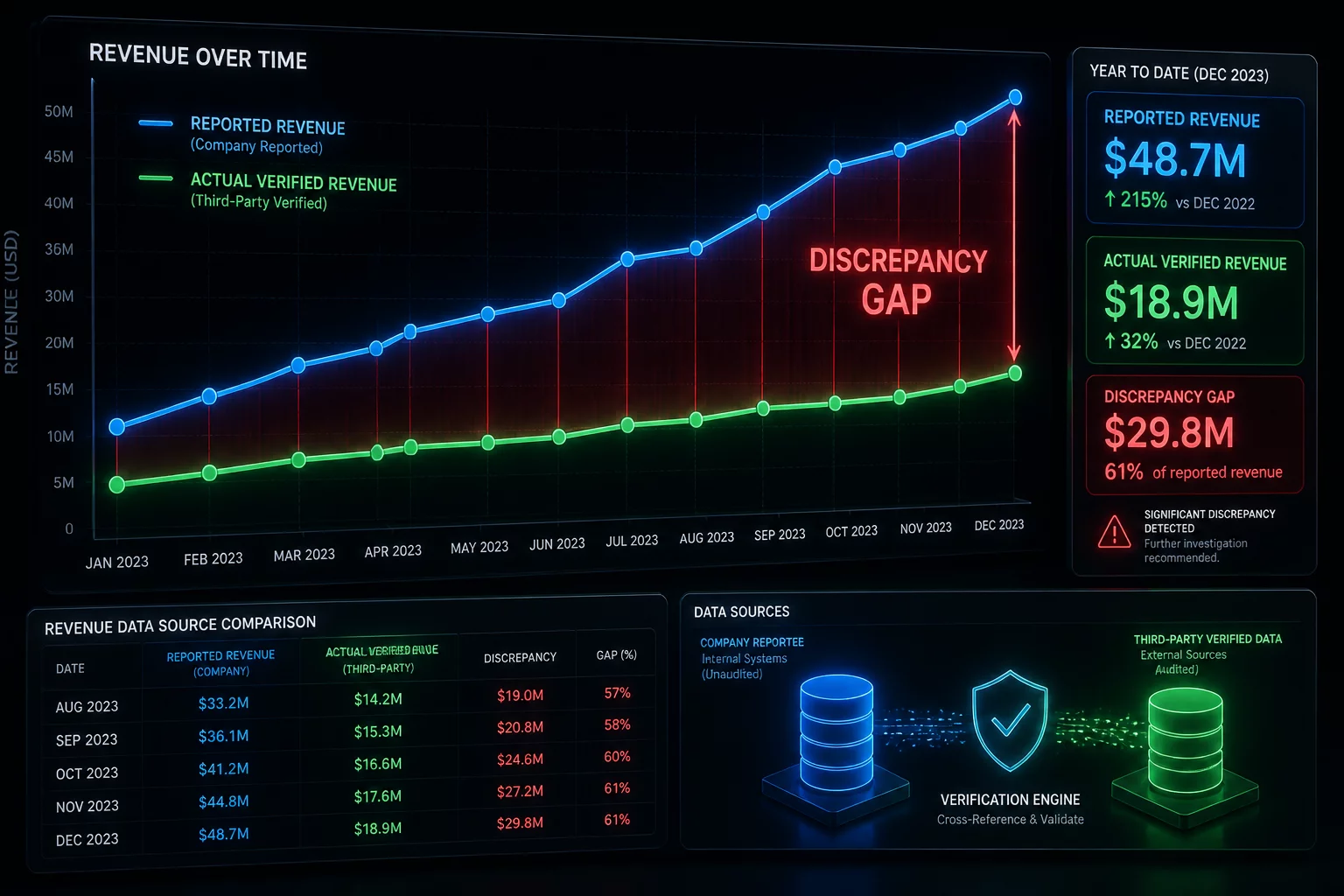
Investigating a revenue report discrepancy caused by incorrect row meaning. A critical discrepancy was discovered during the end-of-month financial reconciliation between the transactional order system and the marketing reporting database. The marketing report consistently showed a 14% higher total revenue than the actual payments processed by the gateway.
Upon technical audit, the query intent was found to join the orders table with the order_items table using a standard join structure. The developer assumed that each row in the result represented a single order transaction. However, because multiple items could belong to a single order, joining these tables without grouping first at the order level created duplicated revenue lines. Every order with multiple items was counted multiple times in the final SUM(amount) aggregation.
Furthermore, the query joined a secondary discounts table without specifying a unique mapping constraint. Because a single discount code could be applied multiple times or had multiple activation logs, it created a cartesian product for affected records, further inflating the calculated total. This case highlights why understanding the precise physical and logical meaning of a single result row is paramount before applying numerical aggregations.
Why This Query Intent Fails
Often in production data environments, developers default to simple joins without reviewing the row multiplicity. When duplicate keys exist or table joins do not represent direct dependencies, metrics like revenue and active user count become inflated.
Key Takeaway
Always verify the primary keys of joined datasets and execute aggregate checks before using nested layouts. Improperly scoped aggregation levels will distort downstream BI dashboard reports.
Discussion & Reviews
AnalystGuy
Verified ReaderRow meaning is always the culprit.
TechLead
Verified ReaderGood case study on financial data.
No Comments Yet
Be the first to share your thoughts on this optimization case!
Leave a Comment